
Ollo Credit Card Mobile App
Merrick BankFinance
3.7187.00 Reviews
- Version
- 4.49.11
- Installs
- 100.00K
- Age Rating
- Everyone
Screenshots
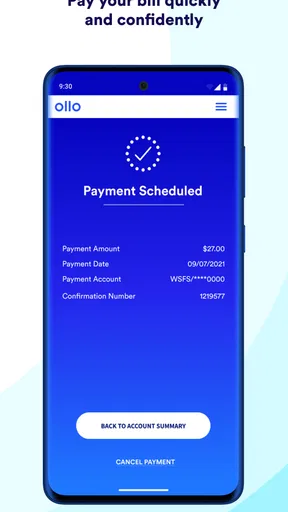
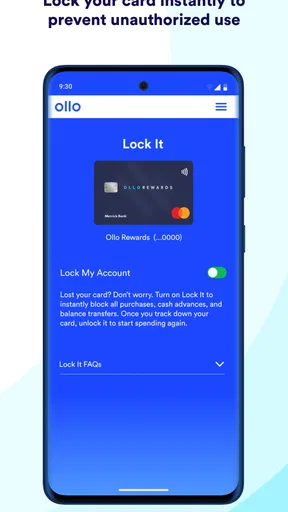
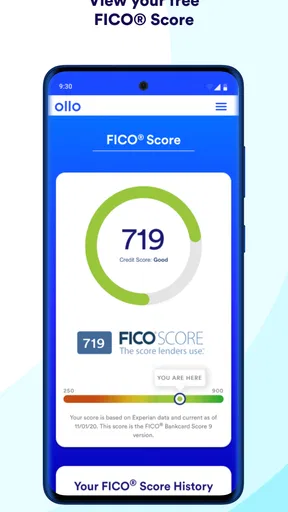
Our Review of Ollo Credit Card Mobile App
 Analysis by Appyee
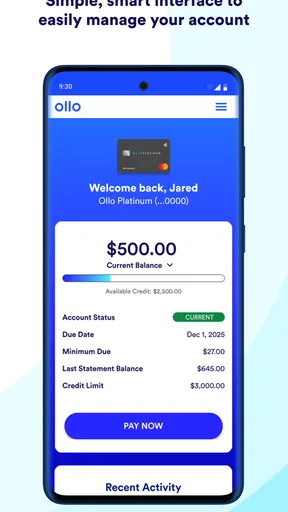
Managing a credit card on a shared household device sounds simple until privacy, trust, and timing become part of the routine. I tested the Ollo Credit Card mobile app with that situation in mind, rather than treating it as just another finance download. It is designed for Merrick Bank customers who want to handle an Ollo card from a phone, and its main appeal is convenience: checking the account when a computer is not nearby, keeping an eye on activity, and dealing with ordinary card management without opening a browser.
The app is free and aimed at Everyone, which makes it approachable for a broad audience. That age label should not be confused with permission for every member of a household to use the same account, though. A credit-card app contains sensitive financial information, so the most important question is not whether several people can hold the phone. It is whether the cardholder can keep the account boundary clear while still coordinating everyday spending.
How Ollo works in a shared household routine
My most useful way to think about this app is as a personal control panel for the cardholder, not as a family budgeting board. Imagine a household member paying for groceries while another person is responsible for checking the account later. The app can fit into that routine because the cardholder has a mobile place to review the account, but the phone itself should remain under the control of the person whose financial details are displayed.
That distinction matters on a shared tablet or family phone. A quick glance at a balance can turn into exposure of transaction history, account information, or other private details if the device is passed around carelessly. I would not leave the app open on a kitchen counter or hand an unlocked device to a child simply because the app carries an Everyone content rating. The rating describes general suitability, not financial independence or permission to view an adult’s card.
For a couple or household that shares expenses, the practical arrangement is straightforward: one person remains the account owner and uses the app to verify activity, while the other person communicates purchases through the household’s normal method. That could be a message, a note, or a conversation, but it should not rely on the app being treated as a shared ledger. In my view, this is one of the app’s clearest boundaries. It supports card management; it does not replace household agreements.
A realistic example is a weekend grocery trip. I might use the card, keep the receipt, and tell the cardholder the approximate amount. Later, the cardholder can open the app and compare the account activity with the receipt. That small workflow is more useful than casually passing the phone around because it preserves a single responsible reviewer while still giving the household a way to catch mistakes or unfamiliar activity.
The app is also more suitable for quick checks than for long financial planning sessions. If I want to review several accounts, build a detailed household budget, or compare spending across banks, I would normally choose a dedicated budgeting tool or a desktop banking setup. Ollo’s role is narrower, and that narrow role is a strength when I only need to deal with this card.
Keeping setup personal from the beginning
Setup should start with the cardholder, even when the device belongs to the household. I would avoid registering or signing in while children, guests, or other casual users are watching. The first session establishes the account boundary, and it is easier to protect that boundary from the start than to explain later why a shared device remembers sensitive information.
I also recommend deciding in advance who may hold the device during account checks. If the phone is shared, the cardholder should take it back before opening the app and return to the ordinary home screen afterward. That sounds overly cautious for a quick balance check, but small habits matter with financial apps. A household does not need complicated rules; it needs a consistent one.
Another sensible step is separating card conversations from app access. Someone may need to know whether a purchase has cleared, but that does not automatically mean they need to see the whole account. I would share only the information needed for the immediate task. This is especially important when a family uses one tablet for shopping, schoolwork, entertainment, and banking.
The app’s free availability removes a purchase decision, but it does not remove the need to understand the underlying card relationship. I would still treat the card agreement, payment responsibilities, and account ownership as separate from the convenience of the mobile interface. The app makes access easier; it does not change who is accountable for the account.
For older phones, the technical starting point is reasonably broad: the app requires Android 6.0 or later. That helps households with an older Android handset consider it without immediately replacing the device. On the other hand, an older phone may be shared by several people, which makes screen privacy and sign-out habits more important. Compatibility is useful only if the device can be kept under sensible control.
Coordinating purchases without turning the app into a family dashboard
In everyday use, coordination works best when the app confirms information rather than becoming the place where everyone records plans. I would use it after a purchase to check whether the activity looks familiar, then keep the household’s spending plan somewhere designed for shared notes or budgeting. That division prevents the card app from carrying responsibilities it was not built to handle.
One non-obvious advantage of this approach is that it creates a simple two-step check. The person making the purchase keeps the receipt or message, and the cardholder later compares it with the account activity. If the amount or merchant does not look right, the household has a clear starting point for investigation. This is more reliable than assuming that a shared screen automatically creates shared awareness.
Timing also matters. A purchase may not be visible in the way someone expects immediately, so I would not use one quick app check as the only proof that a transaction has completed or failed. For urgent questions, the cardholder should use the account’s available support or official account guidance rather than asking another household member to guess from a screen.
I would also avoid giving the app a role in informal allowance systems. A teenager might be allowed to use a card for a specific errand, but that does not mean the teenager should receive unrestricted access to the account. A better arrangement is to define the spending task beforehand, keep the cardholder responsible for the account, and review the result afterward. The app can support that review without becoming a substitute for supervision.
For roommates, the boundary is even clearer. A shared grocery budget does not make a credit-card account jointly private. I would not install the app on a roommate’s personal phone or allow a roommate to save access simply to make bill splitting easier. A shared expense note and a cardholder-controlled review are safer and less confusing than combining personal account access with household coordination.
Trust, age, and the meaning of “Everyone”
The Everyone rating is helpful for understanding the app’s general audience, but I would explain the difference to younger users. A child can understand that an adult is checking a purchase without being given access to balances, account history, or sign-in details. The app’s subject is financial management, so maturity and trust should guide access more than the label alone.
With a teenager, I would focus on transparency: explain what the card is being used for, agree on an amount or purpose, and let the cardholder perform the account check. That arrangement teaches responsibility without exposing more information than necessary. It also avoids a common household mistake—assuming that convenience requires everyone to use the same login.
Trust works both ways. The cardholder should not use the app as a way to monitor every family member secretly, and other household members should not pressure the cardholder to reveal private account details. The healthiest use is specific and visible: confirm a purchase, review an unfamiliar activity, or check the account as part of an agreed routine.
I would be particularly careful with notifications or previews that may appear on a shared lock screen. I am not treating those as a special Ollo feature; the broader issue is that financial messages can be visible before the app is opened. A shared-device owner should review the phone’s general privacy settings and consider whether account-related information might appear where other people can read it.
There is also a practical trust test: if the household cannot agree on who owns the account and who may view it, the app should stay on the cardholder’s private device. No mobile convenience is worth creating uncertainty about financial access. In that situation, a private browser session or a separate personal phone may be a better arrangement than a shared installation.
What the app does well for the right cardholder
The clearest strength is focus. Ollo Credit Card is not trying to be a general-purpose money manager in my review experience. It gives Merrick Bank’s Ollo customers a dedicated mobile route for dealing with their card, which is useful when the task is specific and time-sensitive rather than analytical.
That focus makes it a good fit for someone who checks a card while away from a computer. A cardholder can build a habit around reviewing activity after household purchases, checking the account before making a planned expense, and keeping account management close at hand. The value is not flashy; it comes from reducing the friction between a question and the place where the account can be checked.
The app also has a modest footprint in the Android ecosystem, with over one hundred thousand installs. Its average rating is 3.7 from around three hundred ratings, so I would describe the reception as mixed but workable rather than universally smooth. That rating is a useful reminder to keep expectations realistic: a finance app can be valuable for its core task while still leaving some users unhappy with particular screens, sign-in moments, or device behavior.
Its current version is 4.49.11, and the developer is Merrick Bank. Those details make it easy to identify the intended app when searching, which matters in finance because choosing an unrelated application with a similar name would be a serious mistake. I would always verify the developer name before installing and avoid downloading a copy from an unfamiliar source.
Where it may feel limited compared with alternatives
The biggest limitation is scope. If I want a complete household view that combines checking accounts, savings, multiple cards, cash spending, and shared goals, I would choose a dedicated budgeting service or use a broader banking platform. Ollo’s focused design is helpful for Ollo card management, but it is not a replacement for a full financial planning system.
It is also not the right answer for someone who does not have an Ollo card. The app’s purpose is tied to that card relationship, so installing it merely to explore finance tools would add no real value. Likewise, a person who prefers handling every account on a desktop may not gain enough from adding a mobile access point.
Shared-device users should accept another trade-off: convenience is lower when privacy is the priority. The cardholder may need to take the device, check the account privately, and close the session before returning it. A household that wants instant, communal visibility may find a shared spreadsheet or budgeting app more practical, provided everyone understands that those tools should not contain unnecessary card credentials.
I would also avoid treating the app as a credit-building coach or financial adviser. A card-management interface can help me stay aware of account activity, but it does not replace reading the card terms, planning payments, or seeking qualified advice for debt problems. That distinction is important because easy mobile access can create the feeling of control without solving the underlying financial decision.
My practical routine for using it responsibly
My preferred routine begins with a private check by the cardholder, followed by a simple household note when coordination is needed. After a shared purchase, I would keep the receipt, communicate the amount, and let the account owner compare it with the activity later. If something looks unfamiliar, I would pause before making assumptions and follow the appropriate account-support process.
I would not store the app on a device that is routinely borrowed by people I do not fully trust. If the family has one tablet for everyone, the cardholder should use a private phone instead when possible. If the shared tablet is the only option, I would make the session deliberate: open it only when needed, avoid discussing private details aloud, and return to the home screen afterward.
For households with children, I would make the rule simple: they can ask about a purchase or learn how card payments work, but they do not handle the account access unless the cardholder has a specific reason and is present. For couples, I would agree on whether the second person needs transaction information, spending limits, or merely confirmation that a payment was made. Each need calls for a different amount of sharing.
That workflow also helps answer whether the app is worth installing. If the cardholder frequently needs mobile access to this particular account, the convenience is meaningful. If the household is mainly looking for shared budgeting, expense splitting, or account aggregation, the better tool is likely elsewhere, with this app reserved for the Ollo card owner.
My household verdict
I see Ollo Credit Card as a practical, focused finance app for Merrick Bank customers who want a mobile way to manage their Ollo card. I like it most when one clear account owner uses it for quick checks and keeps household coordination separate from account access. That arrangement preserves the app’s convenience without pretending that a credit-card login is a shared family workspace.
The free price and broad age rating make the app easy to approach, while Android 6.0 support gives it a chance of working on older household hardware. Still, those conveniences should not weaken privacy habits. The app belongs with the responsible cardholder, and a shared device needs deliberate boundaries around opening, viewing, and closing the account.
My recommendation is simple: choose it if you own an Ollo card and want focused mobile access, but skip it as a household budgeting solution. For a private cardholder routine, it is a sensible companion. For shared finances, use it as the account owner’s verification tool and pair it with a separate, less sensitive method for coordinating the household.
Verdict
Strengths of Ollo Credit Card Mobile App
- Quickly check balances, available credit, and recent transactions.
- Mobile payment reminders help reduce the risk of missing due dates.
- Card controls can make it easier to manage spending while traveling.
- Digital statements provide convenient access to account records.
- Useful credit account tools are available without visiting a branch.
Limitations of Ollo Credit Card Mobile App
- Some features may require an active Ollo card and verified account.
- Credit limit increase requests may not be available to every cardholder.
- Transaction updates can occasionally take time to appear.
- Support options may be less convenient outside regular service hours.
- The app’s usefulness is limited if you hold only one Ollo account.
Similar Picks in This Category
View All
Google Wallet
Google LLC4.3

Airtel: Recharge, Bank & Loans
Airtel4.0

PayPal - Pay, Send, Save
PayPal Mobile4.2

DANA Indonesia Digital Wallet
PT Espay Debit Indonesia Koe4.5

Binance: Buy Bitcoin & Crypto
Binance Inc.4.8

Cash App
Block, Inc.4.7
Frequently Asked Questions
What is the Ollo Credit Card mobile app used for?
The Ollo Credit Card mobile app is designed to help cardholders manage their credit account from an Android or iOS device. After signing in, users can generally review their balance, available credit, recent transactions, payment due date, statements, and account alerts. It is mainly a convenient companion for everyday account management rather than a separate banking service or a replacement for the physical card.
How do I sign in to the Ollo Credit Card app?
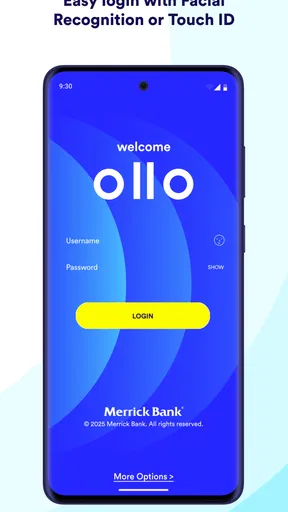
To use the app, you normally need an active Ollo credit card account and the login details created during registration. New users may be asked to verify personal information and establish online access before signing in. For security, avoid sharing your password, use the official app-store download, and enable device security features such as a passcode, fingerprint, or Face ID whenever the application supports them.
Can I make payments through the Ollo Credit Card mobile app?
The app is intended to let eligible cardholders manage payments electronically, including reviewing the minimum amount due, selecting a payment date, and using a linked bank account where that feature is available. Payment processing times, cutoff rules, and available payment methods can vary, so users should submit payments early and confirm the payment status afterward. Always check the app for the latest terms and account-specific options.
Does the Ollo app provide credit scores or financial management tools?
Depending on the account and the version of the service available to you, the Ollo app may include tools such as credit information, spending details, transaction history, statements, alerts, or account-monitoring features. Availability can differ by customer, card product, region, and updates to Ollo’s services. Users should treat any score or educational information as guidance and review the displayed details carefully rather than relying on it as a complete financial assessment.
Is the Ollo Credit Card app safe, and what should I do if I notice suspicious activity?
The official Ollo Credit Card app is intended to provide secure access to your account using login protection and encrypted connections, but no digital service eliminates every security risk. Download it only from the verified Google Play Store or Apple App Store, keep your operating system updated, and avoid signing in on public or unsecured networks. If you see an unfamiliar transaction, login, or account change, contact Ollo through its official support channels immediately.
